
How-To: Livery Collections
A livery collection bundles the liveries of one game for an event, a league or a team. Everyone who follows it gets all its liveries with the desktop client, so your fellow racers have everything installed for your next online race.
Creating a collection
Every user can create collections under Collections in your account:
- A community collection belongs to one of your communities. Only its members can see it, and they follow it automatically, unless they switched that off.
- A collection without community is visible to everyone.
The admins of a community can edit all of its collections.
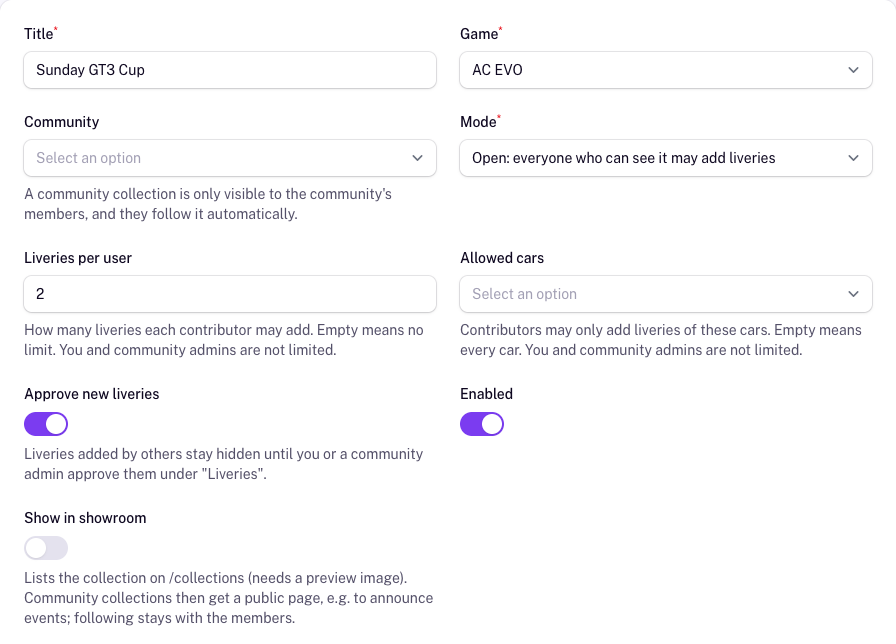
Settings and rules
- Game: ACC or AC EVO. The collection only takes liveries of this game. You can change it only while the collection has no liveries of the old game. If its community does not play the game yet, the form tells you so; community admins add it under Games in the community's profile.
- Mode: Open lets everyone who can see the collection add liveries, Locked only you and the community admins.
- Liveries per user: how many liveries each member may add.
- Allowed cars: others may only add liveries of these cars.
- Approve new liveries: liveries added by others stay hidden on the collection page and in the desktop client until you or a community admin approve them in the collection's Liveries list.
- Show in showroom: lists the collection on Collections, which needs a preview image. A community collection then gets a public page, e.g. to announce an event, while following stays with the members.
You and the community admins are not bound by the limits on liveries and cars, but by the game.
Adding liveries
Click Add to collection on a livery page or in your liveries and choose the community (or No community) and the collection. Only collections of the livery's game are offered; showcase-only liveries have no game and fit into no collection. To upload a livery first, see Livery Upload.
Following collections
Click Follow or Unfollow on a collection page. All collections you follow are listed in the tab Followed under Collections. How to get their liveries into the game is explained in Livery Sync.